We know your pet has been a good boy (or girl) this year. Why not reward them with their very own Nibbles credit card? Get 3x rewards on pet & vet for even more treats this holiday season and beyond. Sponsored by Nibbles. Nibbles is not a bank. The Nibbles Card is issued by Lead Bank. Other fees and T&Cs apply. Rewards & pet insurance offered by Nibbles, not Lead Bank. Base pet insurance policy paid for one eligible pet by Nibbles. See nibbles.com for details. Nibbles does not operate in NY, CT, HI, WA, CO, MA, ME, and MN. A CRM so smart, it updates itself.HubSpot's CRM is so smart, it now updates itself. Calls get logged and summarized the moment they end. New leads get researched and a first outreach drafted, automatically. Deals move forward on their own, with next steps flagged before you have to ask. Even the one repetitive task you've been meaning to fix can now run itself, no code required. Customers using it are already seeing the difference. This isn't the CRM you have to work hard to figure out. It's the one already working before you log in. | Rise and shine, RetireHub community! ☀️ Your Wednesday newsletter is here! Honoring all who served this Veterans Day. 🇺🇸 | Today we’re sharing smart tips on Using Google Maps and GPS Apps Like a Pro, along with the best deals, fun trivia, and more! |
|
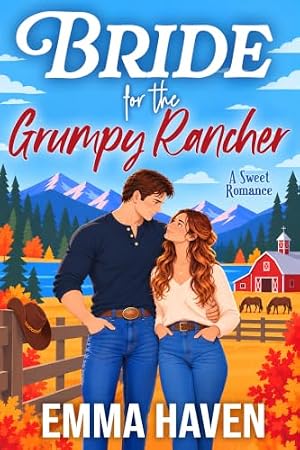
| | | | | What We’re Reading | Get these e-book deals before they're gone. | | Bride For The Grumpy Rancher (Montana Wild Series) | By: Emma Haven | He's loved her for years. She just asked him to be her temporary husband. Grumpy rancher Reid Sawyer will do anything to help Tessa achieve her dream—even marry her knowing she'll eventually walk away. But sharing a home with the woman he's secretly loved for years might finally make her see him as more than a friend. A sweet Montana romance! | Get it for just $0.99 today! |
|
| | | Death on a Dime (Southside Hooker Series Book 1) | By: Baer Charlton | Hooker rules the nights in South San Jose cruising the highways in his giant tow truck, in the early days of the Silicon Valley. The waitress is warming up to him. Life is going great. Until he witnesses, the first of several cops murdered by an unseen assailant. When it becomes personal, can Hooker find the killer before the killer finds him? | Get it for FREE today! |
|
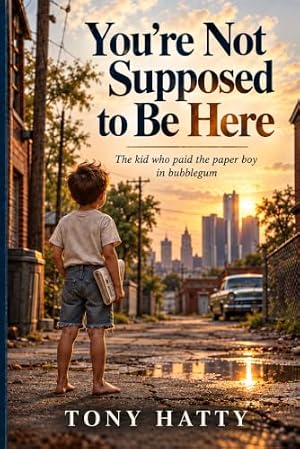
| | You’re Not Supposed to Be Here: The Kid Who Paid the Paperboy in Bubblegum | By: Tony Hatty | How does a kid from Detroit who once paid the paper boy in bubblegum end up becoming one of the most celebrated hairstylists in America? In You're Not Supposed to Be Here, Tony Hatty shares a heartfelt, funny, and inspiring journey from childhood in Detroit, Catholic school mischief, and teenage adventures to a leap of faith that took him to Houston and changed his life forever. Along the way he finds his calling, builds a life beyond what he imagined, and survives three separate brushes with death-each one reminding him that he may still be here for a reason. Told with humor, honesty, and gratitude, this memoir is a story about faith, resilience, family, second chances, and the courage to keep going. ABOUT THE AUTHOR Tony Hatty is an award-winning hairstylist, salon owner, speaker, and author. In 1987, he was named Hairstylist of the Year in the United States by American Salon magazine. | See it on Amazon → |
|
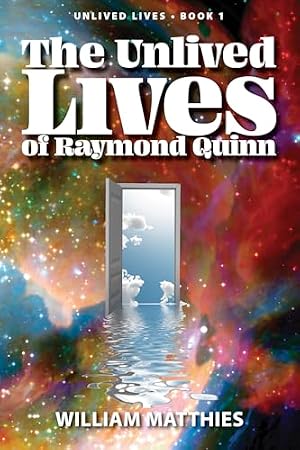
| | The Unlived Lives of Raymond Quinn (The Unlived Lives trilogy Book 1) | By: William Matthies | Raymond Quinn meets a stranger he knows only as Asian at Other Worlds Coffee. Asian tells Raymond he has been dead for 46 years and offers him a chance to visit lives he would have lived had he made different choices in the past. These lives take place in the US, Antigua, Germany, Switzerland, France, Vietnam, and Zimbabwe, at different times and under varying circumstances. We all have infinite unlived lives. Travel with Raymond through his, and you will begin to envision your own. How different would your life be if you had made different choices in the past? | $6.99 — Get it for just $0.99 today! |
|
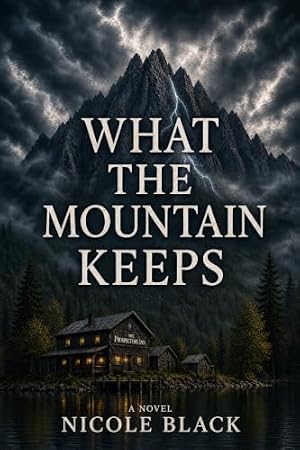
| | What the Mountain Keeps | By: Nicole Black | Discover a haunting tale of survival and sacrifice in the heart of the wild. Atmospheric Setting: Experience the claustrophobic beauty of the Pacific Northwest. Modern Folklore: A fresh take on the Bigfoot legend and the curse of Slumach’s Gold. Compelling Mystery: Perfect for fans of The Marrow Thieves and Monkey Beach. High Stakes: A pulse-pounding clash between corporate exploitation and cultural preservation. Can Jimmy protect the secret his grandfather vanished for, or will the mountain claim him both of them? | See it on Amazon → |
|
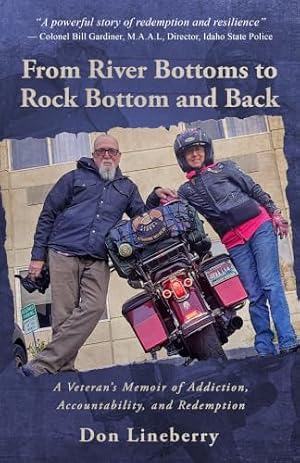
| | | From River Bottoms to Rock Bottom and Back: A Veteran’s Memoir of Addiction, Accountability, and Redemption | By: Don Lineberry | Don Lineberry, 69, a U.S. Army veteran and Idaho preacher’s kid, recounts his journey in From River Bottoms to Rock Bottom and Back—from the quiet river bottoms of his youth through Cold War tank service, decades of addiction, a DEA raid, and 197 days in jail to the day he walked into the Boise Rescue Mission with nothing left. Readers 45 and older will connect with the hard-earned honesty of a man who hit bottom later in life and chose accountability, faith, and daily service, especially those who have watched family struggle with addiction or who value redemption stories grounded in real Idaho and veteran experience. One dollar from every copy supports the Boise Rescue Mission’s Veterans Ministry. | $9.99 on Amazon → |
|
|
|
| Dear Joanne | Your questions, her wisdom — Joanne’s here with thoughtful advice, warm humor, and a listening ear for whatever’s on your mind. | | Medicare Open Enrollment – AGAIN! Yes, folks, it’s that magical time of year when seniors get to enjoy the thrill of comparing insurance plans instead of enjoying a nice afternoon nap. | Nothing says “golden years” quite like sitting at the kitchen table surrounded by enough Medicare brochures to qualify as a fire hazard. | Every year, we’re told to review our coverage because plans change. Premiums change (do they ever go down?). Deductibles change. Drug formularies change. Networks change. The only thing that doesn’t change is the headache. | And have you ever tried comparing Medicare Advantage plans? It’s like shopping for a used car, except instead of asking about mileage and rust, you’re asking whether your cardiologist is still covered and if your prescription will cost $12 or the equivalent of a monthly mortgage payment. | Apparently, every Medicare plan comes with extra benefits, fabulous perks, and a friendly spokesperson who looks like they just stepped out of a retirement brochure. | And then come the television commercials! Free dental! Free vision! Free hearing aids! A grocery allowance! Transportation! Maybe next year they’ll throw in a free cruise and a personal assistant to help us understand the fine print. | But, of course, there’s always a catch. That dentist may be 40 miles away. Your favorite doctor may suddenly be out of network. And the grocery allowance may cover one banana, half a loaf of bread, and a coupon for something you’ve never heard of. | And let’s talk about the phone calls. The minute open enrollment begins, the phone starts ringing like we’re running a telemarketing convention. “Hello! We’re calling to help you get the benefits you deserve!” Really? Then why are you calling me during my afternoon nap? And how did you get my number? I barely remember giving it to my own children. | The biggest challenge, however, is trying to understand the differences between Original Medicare, Medicare Advantage, Medigap, Part D, premiums, deductibles, copayments, coinsurance, and out-of-pocket maximums. | At this point, I don’t need a Medicare advisor. I need a translator, an accountant, a lawyer, and possibly a glass of wine. | Remember when choosing health insurance meant picking between two or three options? Now it feels like we’re applying for a top-secret government clearance. | All kidding aside, open enrollment is important. Our healthcare needs change, and so do the plans. It’s worth checking your doctors, prescriptions, premiums, and out-of-pocket costs before making a decision. And don’t make changes based solely on a television commercial or an unsolicited phone call. | But wouldn’t it be nice if, after a lifetime of working, raising families, paying taxes, and contributing to society, we could finally enjoy a little peace and quiet? We earned retirement. We earned our Social Security. We earned a good night’s sleep. We did NOT earn a second career in insurance research. | So, to all my fellow retirees: May your premiums stay low, your doctors stay in network, your prescriptions stay affordable, and your phone stop ringing. And, if you finish comparing Medicare plans and still have your sanity, Congratulations! | You’ve just qualified for the most valuable retirement benefit of all: A well-deserved nap. | Email me at [email protected] and tell me your experiences in dealing with Open Enrollment… or any topic you wish to discuss. | Have a great week! | Joanne | |
|
| | | On this day in 1918, at the 11th hour of the 11th day of the 11th month, the Armistice with Germany took effect, officially ending the fighting in World War I. That moment is commemorated each year in the United States as Veterans Day, a day to honor all who have served in the U.S. Armed Forces. |
|
| |
Advertising keeps this newsletter free — thank you for reading. |
| Using Google Maps and GPS Apps Like a Pro | Whether you're exploring a new city, heading to a doctor’s appointment, or just trying to avoid a traffic jam, GPS apps like Google Maps can make life easier—especially when you learn a few insider tricks. For retirees, these tools offer more than just convenience. They provide confidence, safety, and even a sense of adventure. | Google Maps is free, simple to use, and works on both Android and iPhone. You can type in your destination or use voice commands like “navigate to the post office,” and it will give you clear, step-by-step directions with real-time updates. If you take a wrong turn, the app reroutes you quickly, helping you stay on track with minimal stress. It’s not just for drivers either—you can use it for walking, public transit, biking, or even wheelchair-accessible routes. | One of the most helpful features is real-time traffic reporting. Red lines show congestion so you can plan your route or leave early. You can also save your favorite locations—like your home, grandchild’s school, or favorite café—for one-tap access. And if you're on a longer drive and need a quick stop, the “Search Along Route” option shows nearby restrooms, restaurants, or gas stations without taking you off course. | A lesser-known feature is offline navigation. You can download maps ahead of time so the app still works even without cell service. This is especially handy for road trips or nature areas where reception can be spotty. For those wanting a more personalized experience, Google Maps allows you to adjust things like avoiding toll roads, muting or changing the volume of voice directions, or turning on night mode to reduce screen glare. | Beyond driving, GPS apps are useful for all kinds of outings. You can take self-guided walking tours, find nearby attractions, or even save your parking spot. And the small arrow on the map shows you which direction you're facing—perfect for avoiding that awkward moment of walking the wrong way down the block. | The best way to get comfortable with GPS apps is to practice when you're not in a hurry. Try navigating somewhere familiar and explore the features at your own pace. Before you know it, you’ll be navigating like a pro—no folding paper maps required. | What GPS feature do you use most often? | |
|
| From the RetireHub Archives: Which kind of money‑saving app would you most likely use? |
|
| | While money-saving apps are popular, our latest poll shows that many of you still prefer the classic touch—nearly 39% said "no apps for me!" when it comes to managing finances. Budgeting and tracking apps came in second at 25%, showing there’s still strong interest in monitoring spending digitally. Bill-reduction tools and automatic savings apps followed, but it's clear: whether you're high-tech or hands-on, there's no one-size-fits-all approach to smart money habits! | OUR FAVORITE COMMENTS | “Excel spreadsheets are all I need!” “I keep any banking info personal. Not on the internet with finances. Old fashioned.” “When I moved in with my wife-to-be, she had disconnect notices for everything and was in danger of losing her house. I took care of the finances; I got everything caught up and even lowered the utility bills. I did it without an app.” “I set up my own budget monitor. I set up a monthly budget, monthly income, retirement accounts, and annual expenses on my Numbers app on my iPhone & MacBook. I always know exactly what I have.” “Have been on my own for years. Raised my daughter as single parent. I learned a long time ago how to manage my money.”
| | 7 Simple Ways to Make Home Cooking Fun and Delicious | Cooking at home doesn’t have to feel like a chore—in fact, it can be a source of joy, creativity, and better health. One tip is to explore new recipes and ingredients, turning meal prep into a mini‑adventure rather than routine. Another is to remember the classics—those family favorites you love—and re‑imagine them with healthier tweaks. Lastly, embrace imperfection: the goal is nourishment and enjoyment, not a magazine‑perfect dish. Small changes—like trying a new spice, inviting a friend over, or setting a table nicely—can make home meals something you look forward to each day. | READ MORE | |
|
| Follow us on Social Media! | Join an online community thriving in retirement! Find us on: | | Every day we post retirement tips, highlights from our newsletter so you can comment and discuss in the community, and some fun retirement-themed motivation! | |
|
| Slang Phrase of the Day | Phrase: Cozy-coded | Meaning: The term cozy-coded is used to describe something that gives off comforting, warm, homey, or nostalgic vibes. It often refers to things like soft lighting, warm beverages, relaxed outfits, gentle shows or music—anything that feels emotionally soothing or comforting. It’s a newer internet term that spins off from "coded" slang (like "cottagecore-coded"), signaling a vibe or aesthetic. | In a sentence: "This afternoon’s book club, with tea, quilts, and a golden retriever snoring at our feet, was totally cozy-coded—we might as well have been in a Hallmark movie!" | |
|
| Good News of the Day | ‘Nothing short of a miracle’ – Rescuers Find Boy with Autism Missing for 3 Days | “He just walked right out of the bushes onto a horse trail.” That’s how one rescuer in Kentucky described the moment he spotted 6-year-old Roman Heilman, a boy with autism missing for 3 days. Jacob Mullins, a member of a local horse trailriding group, told the Lexington Herald Leader that he was only about a […] | READ MORE | |
|
| | Free delivery that pays for itself | If you're not already a member, Amazon Prime bundles free fast delivery with Prime Video's movies and shows. The 30-day free trial is the easy way to see whether it earns its keep. | | |
|
| Other Publications We Like | Check out these other email newsletters we think you’ll enjoy! | | |
|
| | Want more trivia? Play our “Nostalgia Trivia Game” on our site! We add fresh questions daily, so there’s always something new to test your knowledge.
Not into trivia? No worries! We’ve got plenty of other fun games to enjoy, like: | |
|
| In which Spanish city would you visit the Alhambra palace complex? | | Who wrote the play Death of a Salesman? | |
|
| Which TV detective famously drove a Ferrari 308 GTS? | | | **RetireHub may receive affiliate compensation for links clicked within this newsletter. | ***RetireHub may share poll results with advertisers. |
|
| |
|
| 🏆 Best Poll Reply of the Week | After you vote in today’s poll, tell us why in the comment box. Every week our editors pick the best written reply, and the winner gets a $25 Amazon gift card. We’ll email the winner directly and may share the winning reply (first name and last initial only) in a future issue. | No purchase necessary. US residents 18+. Official rules. | |
|
|
|